
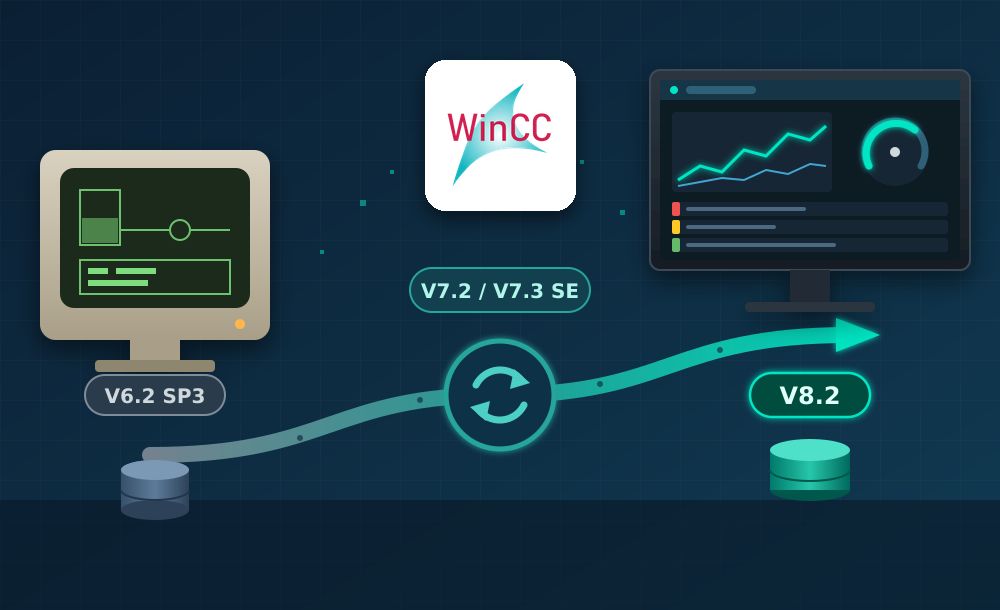
Siemens has updated its migration guide for SIMATIC WinCC (Entry ID 44029132, version 2.10, October 2026) to cover WinCC V8.2. The document describes how to bring SCADA projects created in WinCC V6.2 SP3 or later up to the current release, which intermediate versions are required, what to prepare beforehand and which settings need attention once the project is running on the new version.
Migration or conversion: two upgrade paths
How a project is upgraded depends on its source version. Up to WinCC V7.2, opening an older project in a newer version triggers a migration with the Project Migrator, which ports the project and its databases and converts older projects to Unicode. From WinCC V7.3 SE (Update 1) onwards, automatic migration no longer happens: the project data has to be converted explicitly with Tools > Convert Project Data in WinCC Explorer. Conversion is also needed when moving to a new service pack, for example from V7.5 SP1 to V7.5 SP2.
The practical consequence is that projects older than V7.2 cannot jump straight to V8.2. They need an intermediate step via WinCC V7.2 or V7.3 SE, and projects up to V7.0 SP3 must pass through one of these versions before going further.
| Current version | Upgradable to | Tool |
|---|---|---|
| V6.2 SP3 | V7.0 up to SP3 | Project Migrator |
| V6.2 SP3 or V7.0 SP3 | V7.2 or V7.3 SE | Project Migrator |
| V7.2 and later | V7.5 SP2 or V8.x | Convert Project Data |
From V7.2 or V7.3 SE, a direct jump to V8.2 is possible. Siemens recommends installing the latest update of each version before migrating, for example WinCC V7.0 SP3 Update 8, and saving the project after every step.
Preparation checklist
- Back up the project. The Project Duplicator’s “Save as” copies the configuration only; Runtime archives require a full ZIP backup.
- Check compatibility of WinCC with the operating system, STEP 7 and other SIMATIC products using the Siemens compatibility tool.
- Set the migration PC to the project’s original time zone, since WinCC databases store UTC time.
- Remove “Unknown Objects” such as unregistered ActiveX controls; screens containing them cannot be converted.
- Stop Runtime before converting screens and libraries; on multi-user systems, convert on the server.
- Choose “English (USA)” as migration language if C scripts should keep the dynamic project language setting.
Two limits are worth planning for: screen conversion cannot be interrupted and stops after 18 hours, and converted screens can no longer be opened in the previous WinCC version.
SQL Server versions and licensing
Each WinCC release ships with its own Microsoft SQL Server version, and configuration and Runtime data are transferred even when the database version changes.
| WinCC version | Microsoft SQL Server |
|---|---|
| V6.2 | 2005 SP1 |
| V7.2 | 2008 R2 SP2 |
| V7.3 SE | 2008 R2 SP2 / SP3 |
| V7.4 | 2014 SP1 |
| V7.5 / V7.5 SP2 | 2016 SP2 |
| V8.0 | 2019 |
| V8.1 | 2022 |
| V8.2 | 2025 |
Licenses must be upgraded to the target version with the Automation License Manager. With WinCC V8.2, upgrade packages are available only as downloads; DVDs and USB sticks are no longer supplied. Archive licenses remain version-independent, while WebNavigator and DataMonitor licenses from V7.4 onwards are not downward compatible with V7.3 SE or earlier.
After the upgrade
The guide lists several follow-up tasks: adjusting the computer name, activating Remote Communication (required since V7.5), recreating packages in multi-user projects, re-establishing redundancy partners and replacing obsolete channels. The SIMATIC S5 Ethernet TF channel has to be changed to S5 Ethernet Layer 4, and OPC XML client tags are turned into internal tags because that channel no longer exists from V8.0. WinCC Classic Controls should be replaced with current controls such as AlarmControl or OnlineTrendControl, as they have not been maintained since V7.0.
Errors are logged rather than stopping the process: CCMigrator.txt and DTSPackages.log in the project directory record each migrated component, and CONVERT.LOG in the GraCS folder covers screen conversion.
Why it matters for system integrators
For plants still running WinCC V6.2 or V7.0 on older operating systems and SQL Server versions, the guide turns a risky upgrade into a defined sequence of steps, but Siemens stresses that migrated projects must be tested and that scripts and custom developments are outside its scope. Integrated STEP 7 projects need identical ES and OS projects before starting. Siemens also offers a paid Migration Service, which does not include commissioning. The full document is available from Siemens Industry Online Support.
More news from the manufacturer is available in our Siemens products section, and related documents are collected in the Siemens download area.