
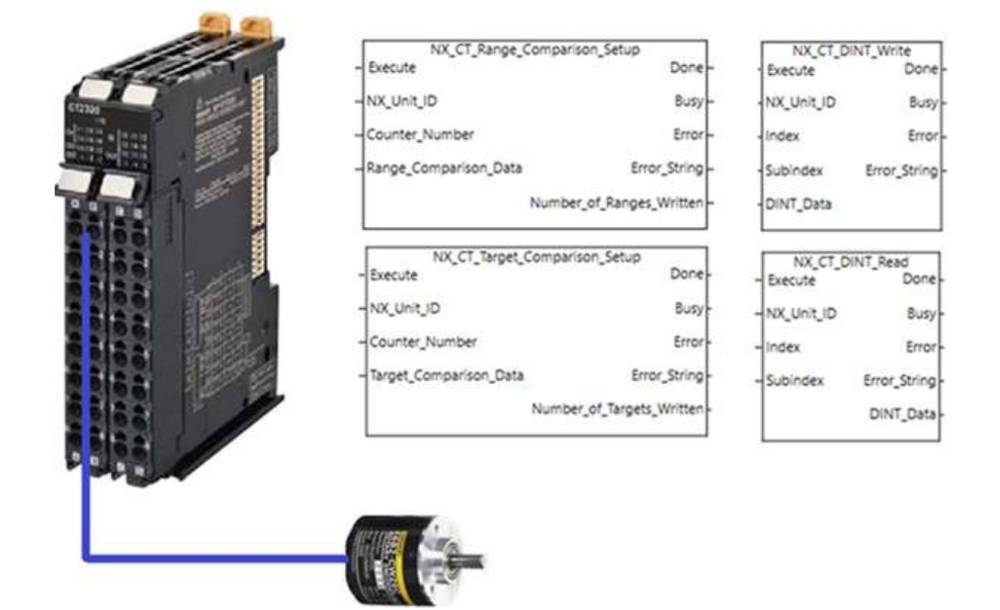
Omron’s NX-CT high speed counter modules can be configured directly from Sysmac Studio for most parameters, such as counter type (ring or linear), upper and lower limits, and encoder direction. Application-specific settings are different. Range or target comparison values, and the output patterns tied to each one, have to be written from the PLC. That means either multiplexing data through variables on the IO Map or using messaging instructions when comparison tables are involved.
To make this easier, Omron has released a set of function blocks for NX and NJ controllers (firmware 1.05 or higher). They work with the NX-CT mounted locally on the NX CPU bus or on a remote EtherCAT bus coupler. If you are looking for more Omron automation news, you will find it in our site.
Two of the blocks write range comparison data and target comparison data. Each handles up to 32 sets per counter, including limits, target values, advance time and output patterns, all sent by messaging directly to the module. The rest read and write other parameters normally set in Sysmac Studio, such as encoder counting direction or the upper and lower limits of rotary counters. Note that a write restarts the module and resets the counter’s present value to 0.