
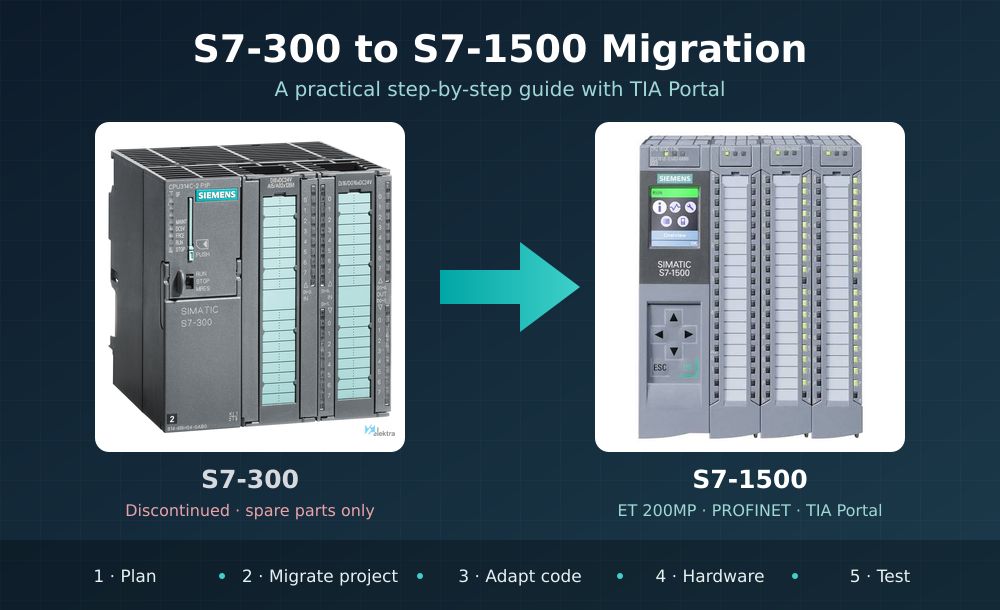
Why migrate now
Since 1 October 2025, new S7-300 and ET 200M components can no longer be ordered from Siemens. The phase-out announcement (milestone PM400) came on 1 October 2023, and the end of delivery (PM410) followed two years later.
From that point on, only spare parts remain. Siemens guarantees spare parts and technical support until at least 2033. But every year there will be less stock, higher prices and longer lead times.
The S7-300 has been on the market since 1994 and is still running thousands of machines. So the question is no longer whether to migrate, but when and how to do it without stopping production longer than necessary.
The official successor is the SIMATIC S7-1500, together with ET 200MP I/O. Besides solving obsolescence, it brings more speed and memory, built-in diagnostics with web server and display, Safety and motion control functions in the CPU itself, and protection against tampering and copying.
This guide summarizes the steps and critical points of a real migration, aimed at engineers who have worked with STEP 7 Classic for years.
Step 1: plan before touching anything
A well-planned migration is decided in the office, not at the machine. Before opening TIA Portal, be clear about what is installed and what you want to achieve.
Plant inventory
- CPU, firmware and order numbers (6ES7…) of every module in the rack and in the distributed I/O.
- Networks in use: MPI, PROFIBUS DP, PROFINET, Industrial Ethernet.
- Connected HMI panels and SCADA, and how they access PLC data.
- Drives, function modules (counting, positioning) and communication processors.
- The latest STEP 7 project, checked against what is actually loaded in the CPU.
Choose the strategy
- Full migration: CPU and central I/O are replaced by S7-1500 + ET 200MP. It is the long-term option, but requires rewiring or using adapters.
- Phased migration: the CPU is replaced first, while the distributed ET 200M I/O is kept on PROFIBUS or PROFINET. It shortens the initial shutdown and spreads the investment.
Choose the CPU
There is no official one-to-one CPU equivalence, because the S7-1500 is much more powerful. As a practical guideline, a CPU 1511 or 1513 usually covers what a 314 or 315 did, and a 1515 or 1516 what a 317 or 319 did. Check work memory, number of connections and required communication ports.
The free TIA Selection Tool includes a migration assistant that converts an S7-300 or S7-400 configuration to S7-1500, and ET 200M to ET 200SP or ET 200MP. It is the best starting point for the bill of materials.
Step 2: bring the project from STEP 7 into TIA Portal
The S7-1500 can only be programmed with TIA Portal, so the first step is converting the STEP 7 V5.x project. You need STEP 7 Professional: the Basic edition only covers S7-1200 and does not migrate Classic projects.
- Prepare the source project. Open it in SIMATIC Manager, compile it without errors, check block consistency and save an archived copy.
- Check version compatibility. Each TIA Portal version accepts projects from specific STEP 7 V5.x versions. Check the Siemens FAQ for your version before starting.
- Run the migration. In TIA Portal, use the migrate project option. If the PC does not have STEP 7 Classic installed, you can run the Siemens migration tool on the original computer; it creates an intermediate file to import into TIA Portal later.
- Review the migration log. TIA Portal creates a report with warnings and errors. Read it all: it lists unsupported modules and blocks that were not converted.
- Move the program to the S7-1500. The migrated project still has an S7-300 CPU. Add the new S7-1500 CPU, configure its hardware and move the program to it. When compiling, TIA Portal flags everything that is not compatible.
Two important warnings: the oldest S7-300 CPUs may not be supported in TIA Portal, and the safety program (F-CPUs) is not migrated the same way as the standard program, so it is best planned separately. If the project includes panels with WinCC flexible, they are migrated too, but their connections to the new PLC must be checked.
Step 3: adapt the code
Most LAD, FBD and STL code moves to the S7-1500 unchanged. The work lies in the details where the architecture changes.
| Topic | On S7-300 | On S7-1500 | What to do |
|---|---|---|---|
| Block access | Standard access (absolute addresses) | Optimized access recommended | Keep standard access at first and optimize in stages |
| System calls | Numbered SFCs and SFBs | TIA Portal library instructions | Replace unsupported SFCs with their equivalent instruction |
| Program errors | OB 121 and OB 122 | Local error handling with GET_ERROR | Review error OBs and the logic that depended on them |
| Clock and system memory | Configured in the CPU | Configured again in the CPU properties | Enable them at the same address as before |
| Timers and counters | S5 (S_ODT, C…) | S5 supported, IEC recommended | Keep them when migrating and use IEC in new code |
| Indirect addressing | ANY pointers and AR registers | Only with standard-access blocks | Review before optimizing blocks; use VARIANT or ARRAY |
| TEMP data | Keep the last value | Not initialized in optimized blocks | Always initialize temporary variables |
| Retentivity | Memory bit and DB ranges | Per tag in optimized DBs | Check which data must be kept on power loss |
A practical tip: do not try to optimize and migrate at the same time. First get the machine working exactly as before with the S7-1500. Then, with the plant running, optimize blocks and modernize the code step by step.
Step 4: hardware and communications
S7-300 modules cannot be mounted on an S7-1500: the backplane bus, rail and power supply are different. The central I/O is replaced by ET 200MP, which is functionally very similar and integrates directly into TIA Portal.
- Wiring: rewiring the front connectors is the slowest part of the shutdown. Siemens offers adapter solutions to reuse existing wiring; they are worth considering on machines with many signals.
- No more MPI: the S7-1500 has no MPI interface. Panels and devices connected via MPI must move to PROFINET or PROFIBUS.
- PROFIBUS DP: some S7-1500 CPUs have an integrated DP port; otherwise a communication module is added. This makes it possible to keep ET 200M I/O and existing drives during a phased migration.
- PROFINET: it is the S7-1500’s native network. If the plant already uses PROFINET, check device names and IP addresses to keep them.
- HMI and SCADA: check that the panels support connection to S7-1500. If data access was by absolute address, it will work with standard DBs, but will stop working once they are optimized.
- PLC-to-PLC communication: S7 connections and communication blocks with other PLCs must be checked one by one, especially if the S7-1500 coexists with S7-300s that will be migrated later.
Step 5: test before the shutdown
The more you test in the office, the shorter the shutdown on site.
- Simulation with S7-PLCSIM. Load the migrated program into the simulated CPU and check sequences, alarms and communication with the simulated HMI.
- Test bench. If possible, set up the new CPU with some I/O modules and test the critical signals before taking it to the machine.
- Shutdown plan. Define who does each task, in what order and how much time is available. Prepare updated electrical drawings and labels for the new wiring.
- Rollback plan. Keep the old CPU, its memory card and the original project. If something goes wrong, the machine must be able to run again on the S7-300 quickly.
- Commissioning and comparison. Check signal by signal, compare cycle times and process values with previous records, and validate with production staff.
When finished, archive the final TIA Portal project and update the machine documentation.
Common mistakes
- Migrating a project that does not match what is loaded in the CPU.
- Optimizing DBs without checking the HMI and absolute-address access.
- Forgetting to enable clock or system memory in the new CPU.
- Not planning for the loss of MPI on older panels.
- Underestimating the time needed to rewire the I/O.
- Having no plan to go back to the S7-300 if commissioning gets complicated.
Pre-shutdown checklist
- ☐ Complete inventory of hardware, firmware and networks
- ☐ STEP 7 project checked against the real CPU
- ☐ STEP 7 Professional license available
- ☐ Bill of materials generated with TIA Selection Tool
- ☐ Project migrated and compiled without errors on S7-1500
- ☐ Clock memory, system memory and retentivity configured
- ☐ HMI connections and PLC-to-PLC communication checked
- ☐ PLCSIM or test bench tests passed
- ☐ Shutdown plan and rollback plan approved
- ☐ Documentation and drawings updated
More information
- Siemens: product phase-out of S7-300 and ET 200M components
- Siemens: migration documentation for TIA Portal and S7-1500
- How to download the TIA Portal V21 trial
- Math functions in TIA Portal: a practical guide for the S7-1500 PLC