
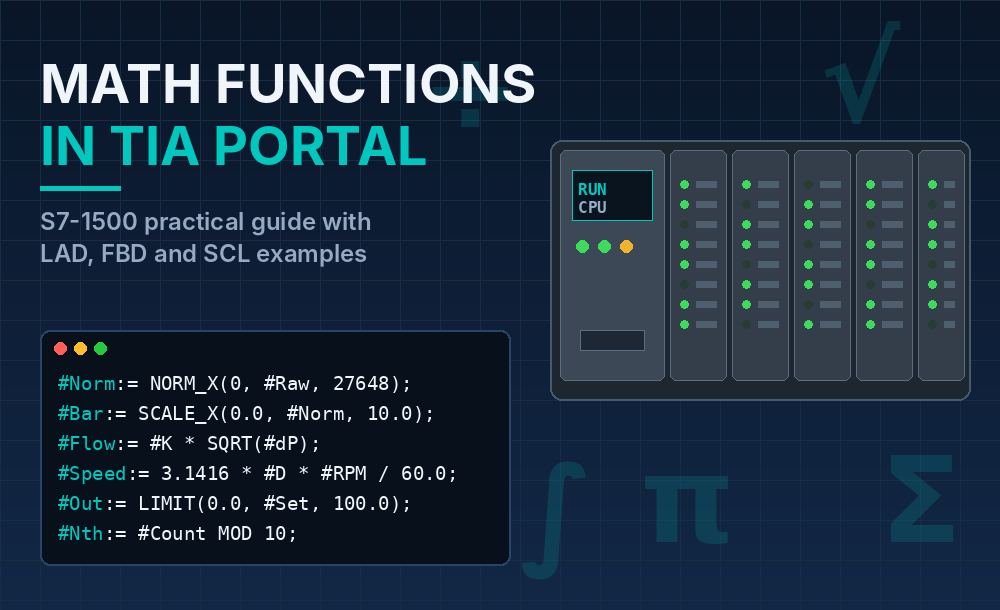
Modern machines do far more than switch outputs on and off. Scaling sensor signals, calculating flow rates, converting units, averaging noisy measurements and limiting setpoints are everyday tasks. The SIMATIC S7-1500 handles all of them natively, and TIA Portal gives you several ways to program them: ladder (LAD), function block diagram (FBD) and structured text (SCL).
This guide walks through the main families of math instructions in TIA Portal, with practical examples you can adapt to your own projects.
1. Basic Arithmetic: ADD, SUB, MUL, DIV and MOD
The core instructions are found under Basic instructions > Math functions:
- ADD / SUB / MUL / DIV: the four basic operations. In LAD and FBD, ADD and MUL can be extended with extra inputs (IN1, IN2, IN3…) by clicking the yellow star, so you don’t need to chain several boxes.
- MOD: returns the remainder of an integer division.
- NEG: changes the sign of a value.
- INC / DEC: add or subtract 1 from a variable.
- ABS: returns the absolute value.
Practical example: reject every 10th product for quality control
#Counter := #Counter + 1;
IF #Counter MOD 10 = 0 THEN
    #RejectSample := TRUE;
ELSE
    #RejectSample := FALSE;
END_IF;
MOD is also useful for cyclic indexing, for example rotating through the positions of an indexing table or a buffer.
Tip: with integer types (INT, DINT), a division by zero sets ENO to FALSE. With REAL and LREAL, the result can become infinity or NaN, so always check the divisor before dividing.
2. MIN, MAX and LIMIT: Keeping Values Under Control
These three instructions are among the most useful in real applications:
- MIN / MAX return the smallest or largest of several inputs.
- LIMIT clamps a value between a lower and upper bound.
Practical example: protecting a speed setpoint coming from the HMI
#SpeedSetpoint := LIMIT(MN := 0.0, IN := #HmiSpeed, MX := 1500.0);If an operator enters 2000 rpm, the drive still receives 1500 rpm. This is a simple, effective safeguard that every setpoint should have.
3. CALCULATE: Complex Formulas in a Single Box
In LAD and FBD, chaining many arithmetic boxes quickly becomes unreadable. The CALCULATE instruction solves this: you write a free expression using the inputs IN1, IN2, IN3… and the box computes the output.
Practical example: conveyor belt linear speed
The linear speed of a belt driven by a roller is v = π · d · n / 60, where d is the roller diameter in metres and n is the speed in rpm. In a CALCULATE box:
- IN1 = roller diameter (#Diameter)
- IN2 = motor speed (#Rpm)
- Expression:
OUT := 3.14159 * IN1 * IN2 / 60.0
The result is the belt speed in m/s, ready to synchronize a downstream station or display on the HMI.
In SCL, the same formula is simply:
#BeltSpeed := 3.14159 * #Diameter * #Rpm / 60.0;4. Floating-Point Functions: SQRT, SQR, EXP, LN and EXPT
For REAL and LREAL data, the S7-1500 offers:
- SQR: square
- SQRT: square root
- EXP: e raised to a power
- LN: natural logarithm
- EXPT: raises a number to any exponent (in SCL, the
**operator) - FRAC: returns the decimal part of a number
Practical example: flow measurement from differential pressure
Orifice plates and Venturi tubes give a differential pressure that is proportional to the square of the flow. To obtain the flow, take the square root:
IF #DeltaP > 0.0 THEN
    #Flow := #K * SQRT(#DeltaP);
ELSE
    #Flow := 0.0;
END_IF;
The IF check prevents a negative value (caused by sensor noise near zero) from producing an invalid result.
Practical example: tank volume
For a vertical cylindrical tank with radius r and level h:
#Volume := 3.14159 * SQR(#Radius) * #Level;5. Trigonometric Functions: SIN, COS, TAN, ASIN, ACOS, ATAN
Trigonometry is essential in motion applications, cutting systems, robotics and any machine that works with angles. TIA Portal provides SIN, COS, TAN and their inverse functions.
Important: all trigonometric functions work in radians, not degrees.
Practical example: X/Y components of a movement at a given angle
#AngleRad := #AngleDeg * 3.14159 / 180.0;
#PosX := #Length * COS(#AngleRad);
#PosY := #Length * SIN(#AngleRad);
This is the kind of calculation used when a tool must travel a given distance at a variable angle, for example in a plotter or a cutting head.
6. Analog Scaling with NORM_X and SCALE_X
This is probably the most frequently used pair of instructions in any S7-1500 project. S7-1500 analog modules return a raw value, typically in the range 0 to 27648 for the nominal measuring range. To convert it to engineering units, you work in two steps:
- NORM_X normalizes the raw value to a range between 0.0 and 1.0.
- SCALE_X maps that normalized value to the engineering range.
Practical example: 4–20 mA pressure transmitter, 0–10 bar
#Normalized := NORM_X(MIN := 0, VALUE := #RawPressure, MAX := 27648);
#PressureBar := SCALE_X(MIN := 0.0, VALUE := #Normalized, MAX := 10.0);
The same approach works in reverse for analog outputs: first NORM_X on the engineering value, then SCALE_X to the 0–27648 range.
Practical example: unit conversion
Scaling also includes simple conversions, such as Celsius to Fahrenheit:
#TempF := #TempC * 1.8 + 32.0;7. Conversion and Rounding: CONVERT, ROUND, TRUNC, CEIL and FLOOR
Mixing data types is a common source of errors. The S7-1500 includes:
- CONVERT (CONV): changes the data type, for example from INT to REAL.
- ROUND: rounds to the nearest integer.
- TRUNC: removes the decimal part.
- CEIL / FLOOR: round up or down to the next integer.
Practical example: how many trays are needed for a batch
#TraysNeeded := REAL_TO_DINT(CEIL(DINT_TO_REAL(#Products) / DINT_TO_REAL(#ProductsPerTray)));CEIL guarantees that a partial tray is counted as a full one, which is what production planning needs.
8. Loops and Arrays in SCL: Averages and Statistics
When you need to process a set of values, SCL with arrays and FOR loops is the cleanest option.
Practical example: moving average of the last 10 readings
// Store the new reading in a circular buffer
#Buffer[#Index] := #NewValue;
#Index := (#Index + 1) MOD 10;

// Calculate the average
#Sum := 0.0;
FOR #i := 0 TO 9 DO
    #Sum := #Sum + #Buffer[#i];
END_FOR;
#Average := #Sum / 10.0;
This filter smooths noisy signals such as weights from a load cell or readings from an ultrasonic sensor. Note how MOD reappears to manage the circular buffer index.
Best Practices for Math in the S7-1500
- Use LREAL when precision matters. The S7-1500 handles 64-bit floating point efficiently, which avoids rounding errors in accumulations and long calculations.
- Never compare REAL values for equality. Use a tolerance instead:
ABS(#A - #B) < 0.001. - Check ENO in LAD and FBD to detect overflows or invalid results.
- Protect divisions and square roots with prior checks against zero and negative values.
- Choose the right language. LAD and FBD with CALCULATE work well for simple formulas that maintenance staff need to read; SCL is better for long calculations, loops and arrays.
- Encapsulate recurring calculations in FCs or FBs (for example, a scaling FB with alarms) so you can reuse and test them once.
Conclusion
The S7-1500 and TIA Portal offer a complete toolbox for industrial calculations: from basic arithmetic and safety limits to trigonometry, analog scaling and statistical processing in SCL. Mastering these instructions lets you move logic that once required external devices into the PLC itself, with cleaner code and fewer errors.
To go further, Siemens’ official SIMATIC S7-1500 product page and the Programming Guideline for S7-1200/S7-1500 are excellent references. You can also browse our latest Siemens news and other automation product news on Automation Fair.com.