
CODESYS is one of the most widely used IEC 61131-3 programming environments, and one of its advantages is that it doesn’t require a license to use the Development System. But before installing it, it’s worth knowing what computer you need to work smoothly, especially if you’re going to simulate with a SoftPLC or handle large projects.
Official Requirements
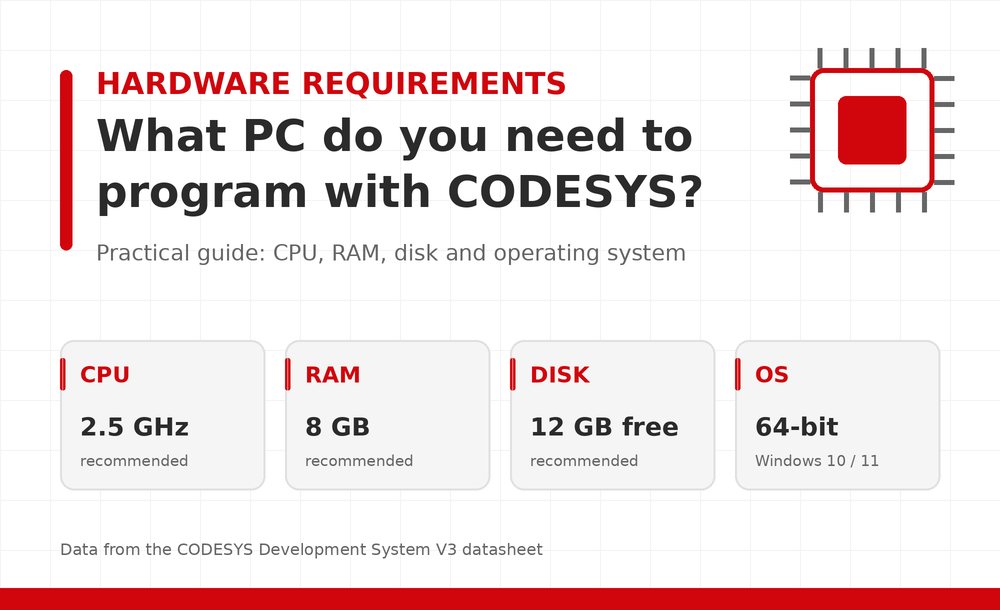
The manufacturer’s spec sheet recommends a 2.5 GHz processor, 8 GB of RAM, 12 GB of free disk space, and a 64-bit operating system. These are recommended values, not strict minimums. Any modern office laptop meets them comfortably.
Operating System
The development environment is a Windows application. According to the spec sheet, Windows 10 and 11 are supported, in the versions Microsoft still maintains. Other guides note that the IDE only runs on Windows, that the runtime can run on Linux, and that on macOS you need a Windows virtual machine. If you work on Mac or Linux, factor in virtualization, which in turn demands more RAM and CPU.
Component by Component
Processor. A current mid-range processor (Intel Core i5 or Ryzen 5) is more than enough. Compiling and loading large applications benefits from more cores and better per-core performance, but you don’t need a high-end CPU.
RAM. 8 GB is a good starting point. One installation guide states a minimum of 4 GB, and 8 GB if you run the IDE and the SoftPLC at the same time. My practical recommendation is to move up to 16 GB if you work with large projects, several open instances, complex visualizations, or a virtual machine.
Storage. Set aside the 12 GB the manufacturer recommends and add margin for libraries, device packages, add-ons, and projects. For the Windows SoftPLC, that guide calculates an additional 1-2 GB for CODESYS Control Win SL. An SSD makes a noticeable difference in startup, compilation, and opening projects, so it’s more advisable than a mechanical drive.
Display. This is a factor that’s often underestimated. Between the project tree, the editors, the message windows, and the device configurator, a small screen falls short. A Full HD monitor is the comfortable minimum, and a second monitor helps a lot when debugging.
Connectivity. To communicate with real PLCs you’ll need an Ethernet port, or a USB-Ethernet adapter if your laptop doesn’t have one built in. Depending on the device manufacturer, you may also need USB or serial ports for initial programming.
Use Cases by Setup
| Use Case | RAM | Storage | Comment |
|---|---|---|---|
| Learning and small projects | 8 GB | 256 GB SSD | Enough for the IDE and the SoftPLC |
| Regular professional work | 16 GB | 512 GB SSD | Medium and large projects, several add-ons |
| Virtualization (Mac/Linux) | 16 GB or more | 512 GB SSD | Reserve RAM and cores for the virtual machine |
This is practical guidance, not an official manufacturer table.
Final Tips
- Check the version you’re about to install. The manufacturer releases service packs annually, and the latest version (CODESYS V3.5 SP21 as of the reference consulted) may change the requirements. Always check the current spec sheet on the CODESYS Store.
- Check the device packages. Each hardware manufacturer provides its own, and they may have their own requirements.
Think about scalability. If your projects are going to grow, it’s more cost-effective to start with 16 GB and an SSD than to upgrade later.
Conclusion - CODESYS doesn’t require special equipment: a PC with 64-bit Windows 10/11, 8 GB of RAM, and an SSD is enough to get started. 16 GB of RAM and a good monitor are only worth it when the project calls for it.
Here you can download CODESYS manuals and programming examples.