
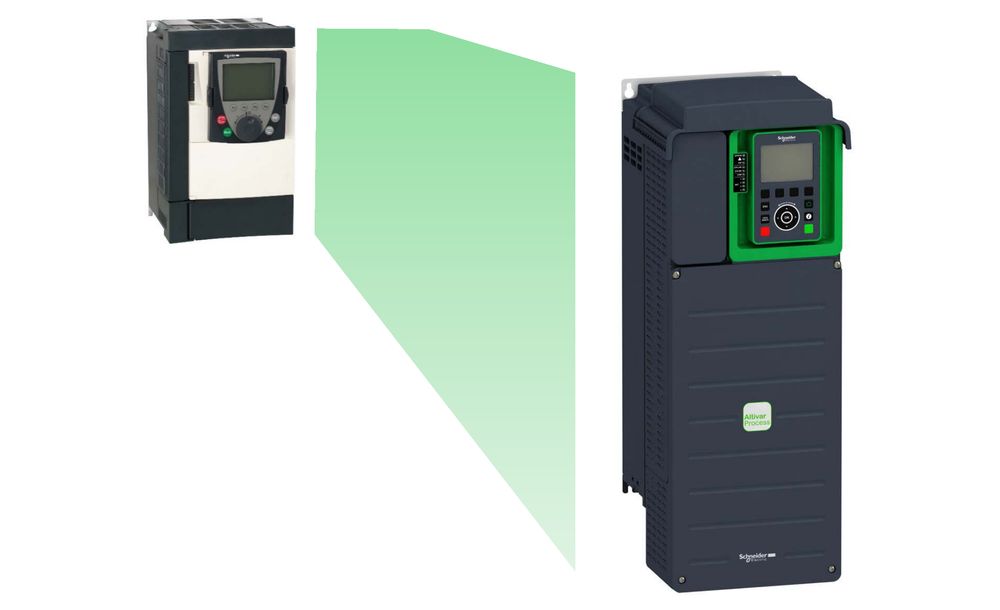
Schneider Electric has updated its modernization manual for users who need to replace Altivar ATV61 and ATV71 variable speed drives with the current ranges. The document (EAV64336-02, dated 09/2025) covers three substitution paths:
- ATV61 to Altivar Process ATV630 or ATV650.
- ATV71 to Altivar Process ATV930 or ATV950.
- ATV71 to Altivar Machine ATV340.
From checklist to drive selection
The manual starts with a checklist of the existing installation: the drive reference from the nameplate, the options in use and the motor data. With that information, the user picks the equivalent drive from the selection tables, and the “Help me choose” online tool on se.com helps decide between the Process and Machine ranges.
Reusing the existing mounting
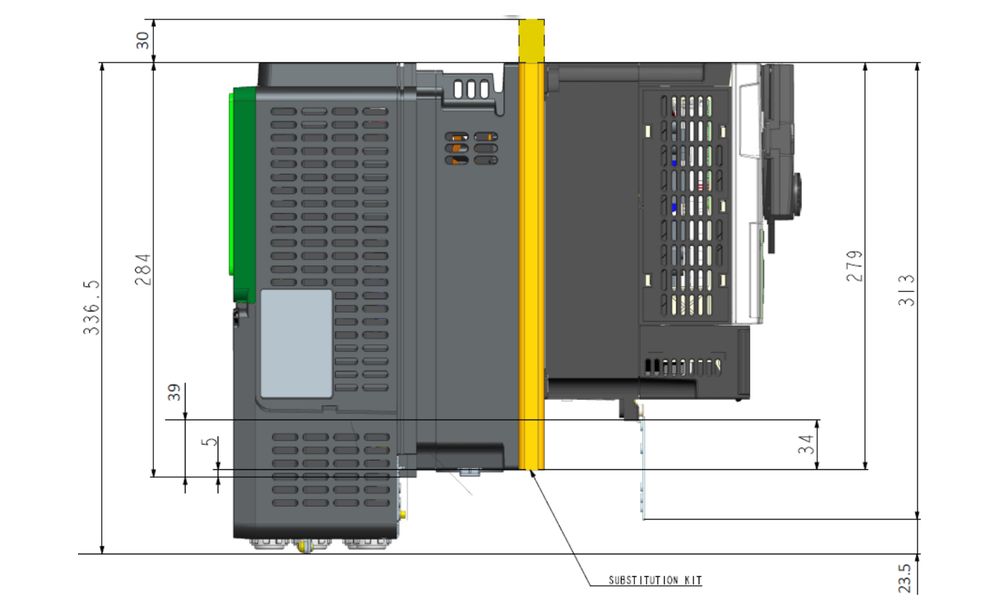
To avoid drilling the cabinet again, Schneider Electric offers ten mechanical substitution kits. These metal support plates let the new drive use the same mounting holes as the ATV61/71. No kit is needed for frame size 7, where the dimensions are identical. The manual includes footprint comparisons for each combination, plus IP conformity kits, flange mounting kits and adapters for the door-mounted display terminal.
Wiring, options and communication
A large part of the document compares the old and new drives item by item:
- Control terminals: digital and analog inputs and outputs, relays, power supplies and I/O extension modules.
- Fast Wiring Exchange Tool: an accessory that simplifies rewiring control and power terminals, with one version for ATV61 to ATV600 and another for ATV71 to ATV900.
- Communication: the ATV630 has Modbus TCP built in, while the ATV930 and the Ethernet versions of the ATV340 have a dual EtherNet/IP and Modbus TCP port; other fieldbuses such as PROFINET and CANopen are available as option modules.
- Power options: output filters, EMC filters, braking resistors and braking units, along with cable sections and tightening torques.
A further section lists which motor control laws and application functions exist in each range.
Converting the configuration with SoMove
The last part explains how to convert an ATV61/71 configuration using the Device Conversion function in SoMove (version 2.9.5 or later, with the matching DTMs). The configuration must be downloaded directly from the old drive, and the tool produces a conversion report. Schneider Electric warns that some parameters cannot be transferred and stay at factory settings, so they must be reviewed and a full commissioning test performed before operation.