
The USB port, the fastest way to extend an HMI panel
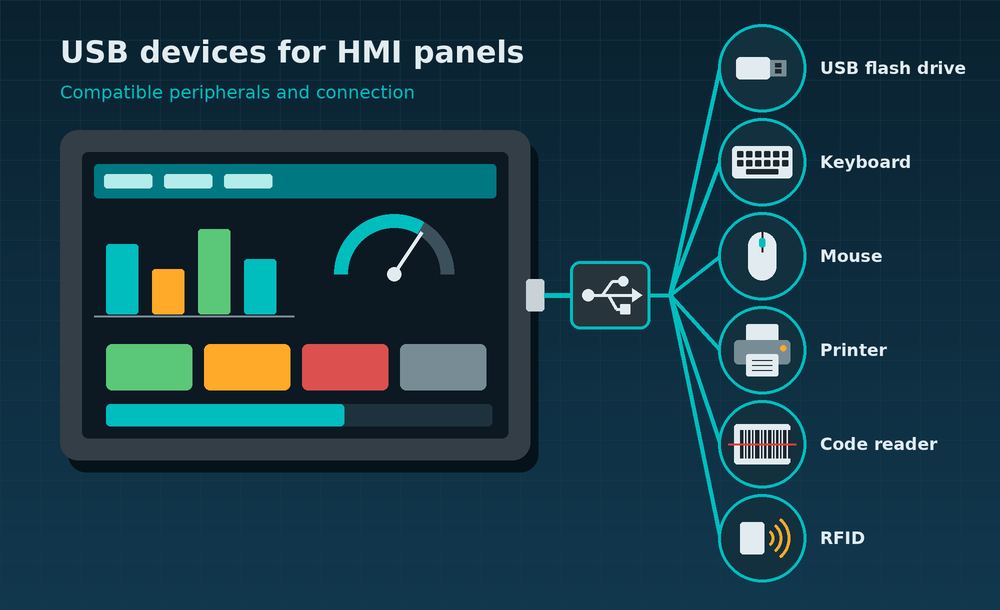
Siemens SIMATIC HMI operator panels accept flash drives, keyboards, mice, printers and readers through their USB type A ports, but not every model supports the same peripherals. Siemens keeps a list of USB devices compatible with SIMATIC HMI panels on its industry support portal, and the manuals of every range point to it.
Choosing the right peripheral avoids the most common problems on the shop floor: flash drives the panel does not detect, incomplete backups or transfer errors. This overview covers what can be connected to each family and under which conditions.
USB peripherals supported by each panel family
The number of ports and the intended peripherals vary from one range to another, according to the operating instructions of each family.
| Family | USB type A ports | Intended peripherals |
|---|---|---|
| Unified Comfort Panels (7″ to 22″) | 4 × USB 3.1 Gen 1 (X61 to X64) | USB flash drive, keyboard, mouse, printer, industrial hub, code readers and RFID readers |
| Unified Basic Panels (4″ to 12″) | 2 × USB 2.0 (X61 and X62) | USB flash drive, keyboard, mouse, industrial hub and code readers |
| Comfort Panels (4″ to 22″) | 1 or 2 × USB 2.0, depending on model | USB flash drive, keyboard, mouse, printer, industrial hub and SITOP DC UPS modules |
| Basic Panels 2nd Generation | USB 2.0 | USB flash drive and industrial hub; keyboard and mouse for commissioning and maintenance only |
These are the Siemens industrial accessories named in the manuals:
- Industrial USB Hub 4 (6AV6671-3AH00-0AX0): four-port hub with IP65 protection.
- Handheld code readers SIMATIC MV320 (6GF3320-0HT01) and SIMATIC MV340 (6GF3340-0HT01).
- RFID readers SIMATIC RF1040R (6GT2831-6CA50), RF1060R (6GT2831-6AA50) and RF1070R (6GT2831-6BA50), on Unified Comfort Panels.
For Unified Basic Panels, Siemens states that devices that are not industrial grade are approved for commissioning only.
USB flash drives: industrial grade and correctly formatted
The USB flash drive is the most widely used peripheral on a panel: it handles backup and restore, runtime data export, logs and firmware updates. Siemens recommends its own SIMATIC HMI USB stick (article number 6AV6881-0AS42, 32 GB in the 6AV6881-0AS42-0AA1 version), which is tested with the devices.
The file system depends on the range:
- Unified Comfort and Unified Basic Panels: NTFS and FAT32 are supported. Siemens advises NTFS for its greater data consistency and more flexible file sizes.
- Basic Panels 2nd Generation: the drive must be formatted as FAT32.
Two practical details: do not remove the drive while the panel is accessing data and, if several drives are connected to a Unified Basic Panel, runtime data export uses the one on port X61. Depending on the type of drive, the panel’s operating system may not detect it, which is another reason to use tested models.
Cables, hub and connection precautions
Many problems with USB peripherals come from the installation rather than the device. The Siemens manuals stress four points:
- Certified cable: only cables labelled “Certified HI-SPEED USB 2.0” or higher. Cables with a lower certification can cause transfer errors.
- Maximum length of 1.5 m: beyond that length, reliable data transfer is not guaranteed.
- Port load: a device that draws too much current can cause malfunctions. Check the maximum load in the panel’s technical specifications.
- More peripherals through an industrial hub: the Industrial USB Hub 4 connects a mouse, keyboard, printer or flash drive at the same time and can be mounted on a rail.
For security, Unified Panels also let you disable each USB port from the Control Panel, which protects the device against unauthorized external access. All ports are enabled by default.
Before buying a third-party peripheral, check the current Siemens list and the manual of the specific panel.
More information
On Automation Fair you can follow the latest Siemens industrial automation news and browse all product news by manufacturer. Siemens describes the current range on its SIMATIC HMI Unified panels page.