
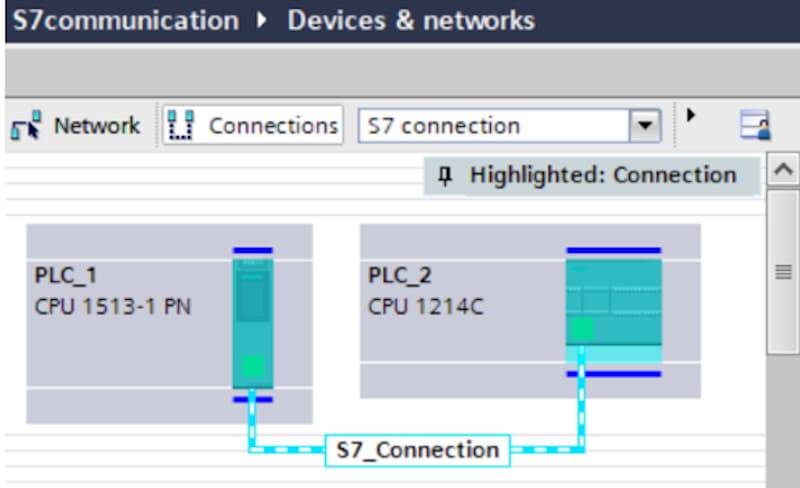
You can use the SIMATIC S7 Communication, for example, for data transfer via the integrated PROFINET interface and Industrial Ethernet interface of the S7-1500 CPUs and S7-1200 CPUs.
The following instructions are available for S7 Communication:
- PUT for sending data
- GET for receiving data
In STEP 7 (TIA Portal) you will find the above-mentioned instructions in the “Instructions” task card under “Communication > S7 Communication”.
The example describes how to configure an S7 connection between an S7-1500 CPU and an S7-1200 CPU to exchange data between the S7-1500 CPU and the S7-1200 CPU using the PUT and GET instructions.
Access from the remote partner via PUT/GET communication must be permitted in both S7 CPUs between which the S7 connection is configured.
Step 1: allow PUT/GET access in both CPUs
For security reasons, PUT/GET access is disabled by default in S7-1200 and S7-1500 CPUs. In each CPU, open the device properties and go to Protection & Security > Connection mechanisms, then enable “Permit access with PUT/GET communication from remote partner”.
Step 2: prepare the data blocks
PUT and GET address the data of the partner CPU with absolute addresses (for example P#DB10.DBX0.0 BYTE 10). For this reason, the data blocks accessed in the partner must have “Optimized block access” disabled (standard access).
Step 3: configure the S7 connection
You can create the S7 connection in the network view (Connections > S7 connection) or directly from the connection parameters of the PUT or GET instruction. Select the partner CPU, check the IP addresses and note the connection ID that you will use in the instructions.
Step 4: program the PUT and GET instructions
- REQ: a rising edge starts the job (for example a clock memory bit).
- ID: the ID of the S7 connection.
- ADDR_1: the address in the partner CPU (where to write with PUT or read with GET).
- SD_1 / RD_1: the local data area to send (PUT) or to receive into (GET).
- DONE, ERROR, STATUS: evaluate them to detect correct transmission and errors.
Download the program to both CPUs and monitor DONE and STATUS to check that data is exchanged.
Security note
Enabling PUT/GET lowers the protection of the CPU, because any device that can reach it on the network can read and write data. Use it only in protected networks. For new projects consider alternatives such as TSEND_C / TRCV_C (Open User Communication) or OPC UA.
Download the full application example
The complete Siemens example, with screenshots of the configuration in TIA Portal, is available below:
Related articles
- LOGO! 9: S7 connection as client with S7-1200 G2
- Connecting an S7-1500 PLC to SQL Server via TDS
- OPC UA communication between S7-1500 and ABB products