
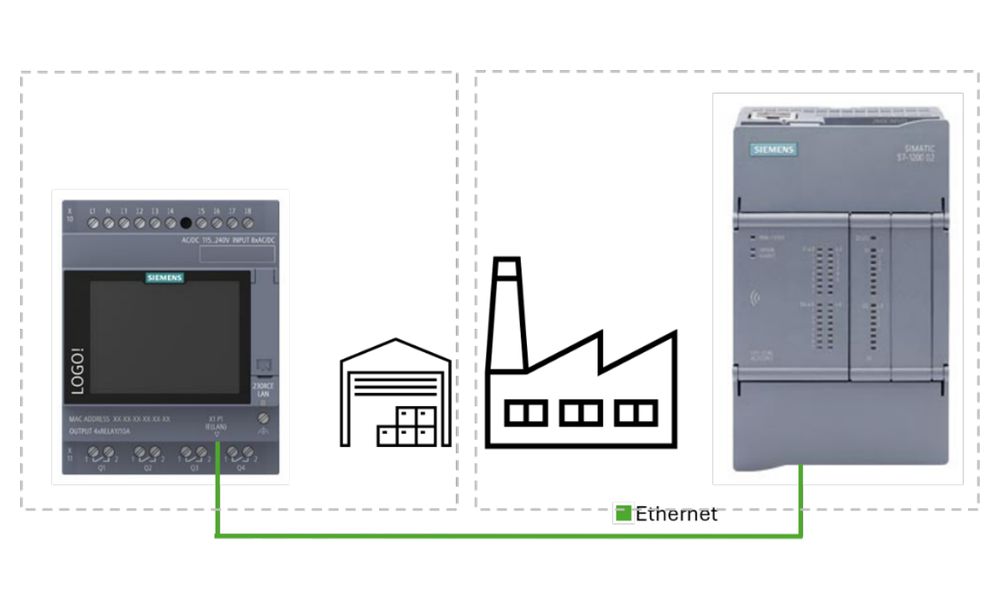
Siemens has published an application example showing how to set up S7 communication between a LOGO! 9 base module and a SIMATIC S7-1200 G2 controller over Industrial Ethernet. The package includes the documentation and two ready-to-download projects, one for LOGO!Soft Comfort V9 and one for TIA Portal V21.
LOGO! in the field, SIMATIC at the center
The approach suits installations where control tasks are spread across a plant or building: the S7-1200 G2 handles central control and the LOGO! 9 takes care of local automation close to the field devices. The document gives the example of a LOGO! in a remote technical room that monitors temperatures and controls heating or ventilation, sending values, operating states and alarms to the central controller.
The advantages Siemens lists include cyclic exchange of digital and analog data, reduced wiring and a scalable architecture.
How it works
The S7-1200 G2 acts as the server and the LOGO! 9 as the client, which is the side that establishes the connection. The key configuration points are:
- In TIA Portal: PUT/GET access is permitted, an S7 connection is created and the TSAPs are set (10h for the controller and 20h for LOGO!).
- In the PLC: a global data block with optimized access disabled serves as the interface, so the variables stay at fixed addresses.
- In LOGO!Soft Comfort: S7 access is enabled and the data transfer table is defined, mapping the LOGO! variable memory to the data block addresses.
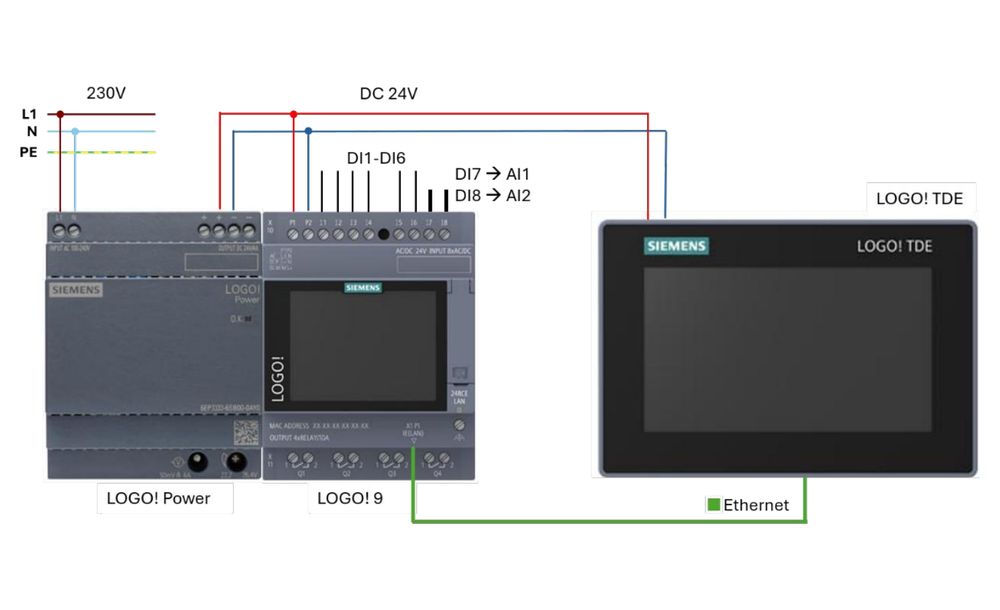
The example program exchanges digital signals, integer values and floating-point values in both directions: the LOGO! sends its inputs I1 to I6 and two analog inputs, and receives from the PLC the commands for outputs Q1 to Q4, a counter and a calculated value. Everything can be viewed on the integrated LOGO! display or on the optional LOGO! TDE.
Hardware and scope
The example was tested with a LOGO! 24RCE and a CPU 1214C DC/DC/DC, but it can be adapted to other LOGO! base modules and other S7-1200 G2 or S7-1500 CPUs. Siemens notes that it does not cover functional safety requirements such as emergency stop, and that it is a non-binding example the user must adapt. It is available from Siemens Industry Online Support under entry ID 110005976.