
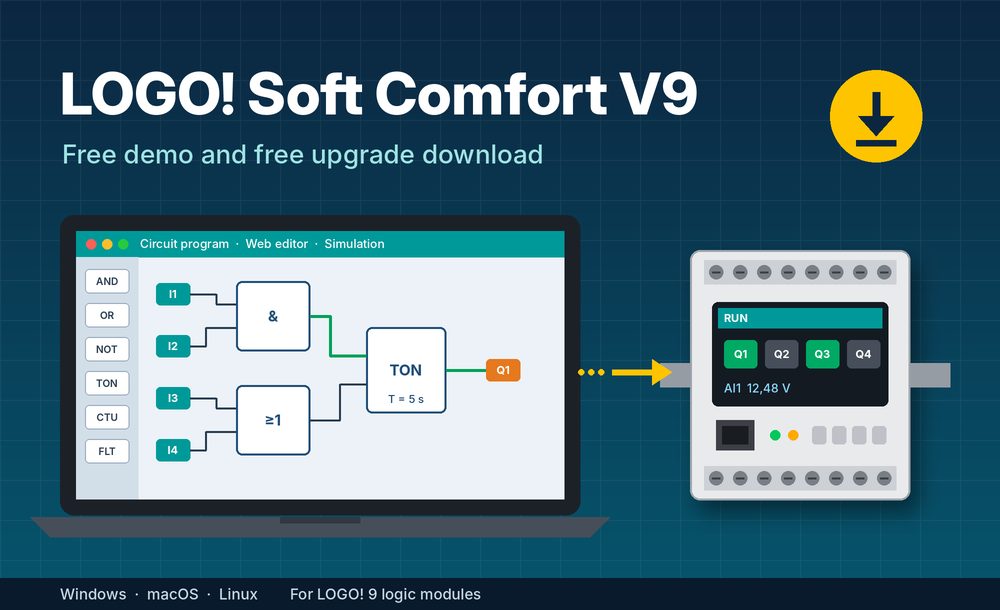
Siemens has released LOGO! Soft Comfort V9, the programming software for the new LOGO! 9 logic modules. In short, you can download it in two ways. The free demo lets you build and simulate programs. The free upgrade turns any older LOGO! Soft Comfort licence into V9. Below, this guide shows which file to choose, how to install it and what changes compared with V8.4.
Do you need V9 for LOGO! 9?
Yes. Siemens states that LOGO! Soft Comfort V9 or higher is required to program LOGO! 9 basic modules. In other words, older versions such as V8.4 cannot target the new devices. On the other hand, V9 is fully compatible with earlier versions. As a result, you can open your LOGO! 8 projects and convert them instead of rebuilding the logic from scratch.
The LOGO! 9 devices supported by V9 include:
- LOGO! 12/24RCE, 24CE, 24RCE and 230RCE basic modules (6ED1052-1xx08-0BA3)
- The same modules without display: 12/24RCEo, 24CEo, 24RCEo and 230RCEo (6ED1052-2xx08-0BA3)
- LOGO! 9 TDE text display (6ED1055-4MH08-0BA3)
- Expansion modules AM4 AI AQ, DM8 12/24 and DM8 230R for LOGO! 9
Also, keep one hardware rule in mind. LOGO! 9 expansion modules do not work with LOGO! 8 basic modules, and the reverse is also true. Programs, however, run without restrictions.
Option 1: Download the free LOGO! Soft Comfort V9 demo
First of all, the demo is ideal if you are new to LOGO! or want to test V9 before buying. With it, you can create, simulate, archive and print programs for all LOGO! devices. However, it has one limit. You cannot transfer programs to a LOGO! or go online with a device. Later, a full version can load the programs you created in the demo.
- Open the LOGO! Soft Comfort V9 Demo entry on Siemens Industry Online Support (ID 110002070).
- Log in to your free Siemens account and download LOGO_Soft_Comfort_V9.0_Demo_Web_Installers.zip (about 2.2 GB).
- Unzip the file and open the Web_installer folder.
- Run Install.htm and choose the installer for your operating system.
- Next, run Setup.exe from the downloads folder and follow the wizard.
Option 2: Free upgrade from any older version
If you already own LOGO! Soft Comfort, you do not need to buy V9. Instead, Siemens offers the upgrade free of charge, and any previous version qualifies.
- Open the LOGO! Soft Comfort V9 upgrade entry (ID 110002280).
- Download LOGO_Soft_Comfort_V9.0_Upgrade_Web_Installers.zip (2.2 GB) and extract it.
- Run install.htm and follow the instructions.
Note that the licence check works in two ways. If an older version is already installed on the PC, the setup runs without asking for a licence. If not, the installer asks for an original LOGO! Soft Comfort DVD of any earlier version.
Finally, new users without a licence can order the full version. The digital download carries the article number 6ED1058-0BA10-0YA3.
Supported operating systems
V9 runs on Windows, macOS and Linux. Siemens lists these versions:
| Platform | Supported versions |
|---|---|
| Windows | Windows 8.1 (64-bit), Windows 10 (64-bit), Windows 11 |
| Linux | Tested with SUSE Linux 15 (64-bit) and Kylin Desktop V10 SP1 |
| macOS | 11 Big Sur, 12.1 Monterey, 13.7 Ventura, 14.5 Sonoma, 15.3 Sequoia |
What is new in LOGO! Soft Comfort V9
Above all, the biggest change is the integrated web editor. In V8.4, web pages were built in the separate LOGO! Web Editor. Now, you design and simulate them in the same tool as the logic. In addition, program and web visualization load to the device in one step. Other new features include:
- Security Wizard and UMAC user management with four roles: Administrator, Maintainer, Operator and Observer
- Firmware updates directly from LOGO! Soft Comfort
- New function blocks for floating-point arithmetic and LCD messages
- Adjustable analog resolution: 1,000, 4,096 or 10,000 steps
- Import of web pages created with LOGO! Web Designer
Once V9 is installed, you can try the new communication features. For example, our guide shows how to set up an S7 connection between LOGO! 9 and a SIMATIC S7-1200 G2.
Demo or upgrade: which one should you choose?
In summary, choose the demo if you are learning LOGO! programming or preparing a project before the hardware arrives. By contrast, choose the upgrade if you already own any LOGO! Soft Comfort version and need to commission LOGO! 9 devices. Still working with the previous generation? Our LOGO! Soft Comfort V8.4 download guide remains available. Besides, you can browse more Siemens software downloads or read the official LOGO! Soft Comfort V9 product page.