
Update: the latest version is TIA Portal V21. For new projects see how to download the TIA Portal V21 trial. If you need V19 to open or maintain existing projects, this guide is for you.
The new version of the Siemens TIA Portal V19 PLC programming software is now available
SIMATIC STEP 7 (TIA Portal) V19 incl. Safety and S7-PLCSIM V19, as well as SIMATIC WinCC (TIA Portal) V19. As a registered customer, you can download the trial version of SIMATIC STEP 7 V19 incl. Security, WinCC V19 and S7-PLCSIM V19 and try it for 21 days.
If you want to try TIA Portal V19 immediately, without downloading or installing, for 21 days free of charge, use our TIA Portal Cloud offer. Some of the new features offered by this new version of TIA Portal V19 from Siemens:
- TIA Portal Version Control Interface
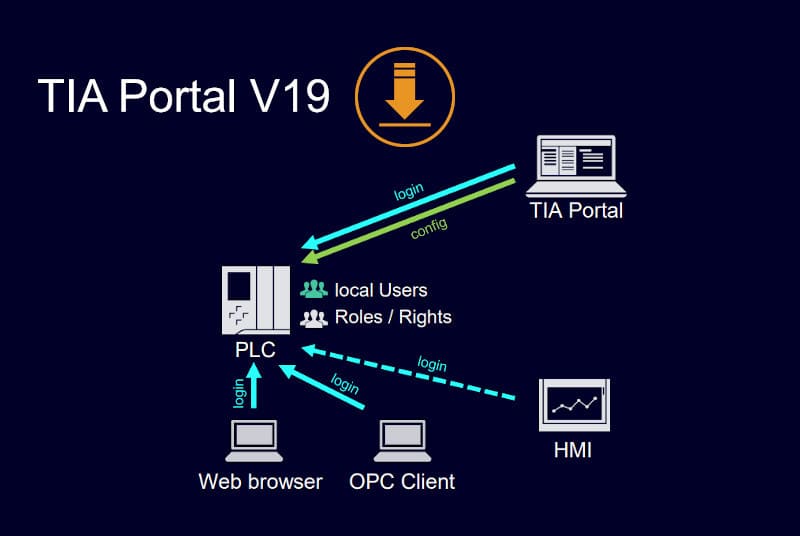
- TIA Portal User Management & Access Control (UMAC)
- TIA Portal Openness
- TIA Portal CAx
- TIA Portal Add-Ins
- Engineering Options
- TIA Portal Multiuser Engineering & TIA Projekt-Server
- TIA Portal Teamcenter Gateway
- TIA Portal Cloud Connector
- TIA User Management Component
- SIMATIC S7-PLCSIM und S7-PLCSIM Advanced V6.0
- SIMATIC Visualization Architect
- Runtime options
- SIMATIC ProDiag
- SIMATIC OPC UA S7-1500 & S7-1200
>>> TIA Portal V19 Download <<<
You may also like :
>>> Siemens TIA Portal V19 Highlights
>>> Siemens TIA Portal V19 – Technical presentation (En)
How to download the TIA Portal V19 trial
- Create a free mySiemens account on Siemens Industry Online Support, or log in.
- Open the official entry SIMATIC STEP 7 incl. Safety, S7-PLCSIM and WinCC V19 TRIAL Download.
- Download the STEP 7 / WinCC installation package (DVD 1) and, if needed, S7-PLCSIM and the hardware support packages.
- Unzip the files, run Start.exe as administrator and select the products to install.
- Restart the PC. The trial runs for 21 days; with a valid licence in the Automation License Manager the same installation becomes the full version.
Download only from the official Siemens site: unofficial “full version” packages are a common source of malware.
Can I open V19 projects in a newer version?
Yes. Newer TIA Portal versions can open and upgrade projects from earlier versions, but an upgraded project can no longer be opened in the older version. If your customer or your plant still runs V19, keep a V19 installation; several TIA Portal versions can be installed side by side on the same PC.
PC requirements
You need 64-bit Windows, at least 8 GB of RAM (16 GB recommended) and an SSD. See our guide TIA Portal system requirements (V18–V21).
All TIA Portal trial versions
| Version | Released | Official trial (Siemens) | Our guide |
|---|---|---|---|
| TIA Portal V21 | 2025 | See guide | V21 trial download |
| TIA Portal V20 | 2024 | Entry 109963850 | V20 trial download |
| TIA Portal V19 | 2023 | Entry 109820994 | V19 trial download |
| TIA Portal V18 | 2022 | Trial overview 109753089 | V18 download |
| TIA Portal V17 | 2021 | Entry 109784440 | V17 download |